Posts

Showing posts with the label GIS4035- Photo Interpretation and Remote Sensing

GIS4035 Module 10-- Supervised Image Classification
Image
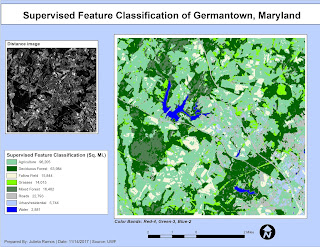
This week we had to produce a classified image from satellite data using the supervised image classification method. To do this, first, I identified fourteen land cover types based on an original satellite image for Germantown, Maryland using the Inquire Cursor and Signature Editor in ERDAS Imagine. Then modified the band colors to better suit the features being represented. From there, I re-coded each class down to have eight as there were a few land cover types that repeated. This process required to create two additional images that incorporated these classes: a supervised image, and a distance image. I did another color pass in the new supervised since it is easier to have unique colors for eight classes. The final part of this map was completed in ArcMap, both of my own new images are represented here. While the supervised image displays the required eight land cover types, the distance image serves to show feature variances in color. The features with the brightest pixels he...
GIS4035 Module 8-- Thermal Imagery

Image
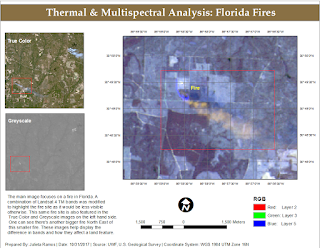
In our lab this week we delved more into Multispectral Analysis involving Thermal Imagery in order to learn how to interpret radiant energy. Using both ArcMap and ERDAS Imagine, I was able to create two different composite multispectral satellite images from TIFF files. For the final map assignment, I used the composite image created in Exercise 2 of this lab which I compiled in ERDAS Imagine. I had already identified a big fire site and then happened to find another one further down the image. As means to highlight the fire I modified the RGB bands to R-2, G-3, B-5 in the Landsat 4 TM satellite image. This made surrounding vegetation a dull blue while making the fire and its smoke orange.

GIS4035 Module 7-- Multispectral Analysis

Image
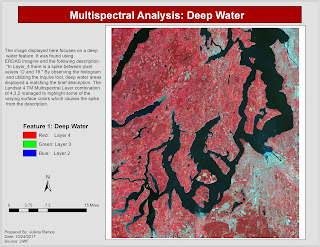
We continued our lessons in ERDAS Imagine this week through lab exercises which taught us how to interpret histogram data of satellite images and how to identify features using said data. By the end, I had to have identified three different features that fit the following descriptions: In Layer_4 there is a spike between pixel values of 12 and 18.  Identify the feature that represents both A) a small spike in layers 1-4 around pixel value 200, and B) a large spike between pixel values 9 and 11 in Layer_5 and Layer_6.  In certain areas of water, layers 1-3 to become much brighter than normal, layer 4 becomes somewhat brighter, and layers 5-6 to remain unchanged. I used the Inquire cursor for the first feature as it points to pixel values. Having analyzed the histogram, it helped determine that the feature I'm looking for would be dark in color. The only consistently dark feature was deep water. There were two areas in the image with the brightest pixels but...

GIS4035 Module 6-- Image Processing 1: Spatial Enhancement and Radiometric Correction

Image
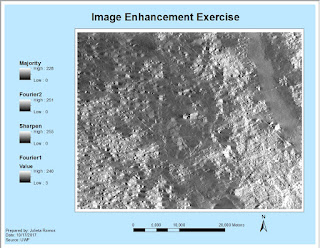
In this week's lab, we had the opportunity to enhance a satellite image using ERDAS Imagine and ArcMap. The initial image we worked with in ERDAS had a lot of strip down the entire image... it was intimidating. Then I was able to reduce the stripping by applying a blocker to bright spots via a Fourier image. I learned that this effect helps the stripes blend in. Out of curiosity, I applied a second Fourier image this time without a LowPass effect and found that it greatly improved the clarity of my image. A second enhancement was done in ArcMap using the Focal Statistics tool which performs statistical tests using adjustable kernel of many shapes and sizes, and also calculates individual values for every cell. In the provided exercise, I tested Mean and Range values. In my final image I applied a Statistic Type Majority with 7Hx7W. The most image enhancing I've done in the past has been in Photoshop. Learning these new image enhancing processes for larger images was very ...

GIS4035 Module 5a-- Intro to Electromagnetic Radiation

Image
I really enjoyed this week's lecture and lab since we got the opportunity to delve deeper into how Electromagnetic Radiation (EMR) works, a topic we merely brushed on back in High School Physics. For the lab, first we had to calculate EMR properties by reviewing Maxwel's Wave Theory and Planck's Relation formulas and working through sample problems. Using ERDAS Imagine, we were tasked with modifying large scale satellite images (AVHRR and Landsat TM) as part of learning how to use basic tools, set image settings, and navigate throughout the Viewer. One of the tools learned during this lab were the Inquire tools. I used the Inquire Box in order to place and box over a classified image of forest lands in Washington State in order to create a subset image. I also added a new column for Area in its attribute table. So once the image was processed, a new .img file was created and it consisted of land cover names (Water, Cloud, Bare Ground, etc.) and their area in unit...

GIS4035 Module 4-- Ground Truthing and Accuracy Assessment

Image
This week, we revisited our aerial LULC Classification analysis of Pascagoula, Mississippi in order to determine accuracy using ground truthing methods. I created a random sample pattern of points in a new shape file and placed them throughout my previous LULC Classification map layout. Then performed a ground truthing assessment of land features using Google Street Map view online. Accuracy percentages resulted in 57% accurate points and 43% false points. Looking back, I believe I could have done better in my initial assessment of features in the aerial photograph.

GIS4035 Module 3-- Land Use Land Cover Classification

Image
There was a lot of content to digest this week in Photo Interpretation and Remote Sensing. We delved into what Land Use and Land Cover actually represent, and Land Use Land Cover (LULC) classifications, reasons, definitions, and its process. It was very interesting learning about this system's process, the technology required for recording data, and how the recording of data for each type of main feature differed from one another. I hold a personal interest in this field, so it was a fascinating read. The lab required to create a land use/land cover map from a provided aerial photograph by applying recognition elements to LULC classification and be able to identify various different features. I was able to identify 12 unique features. Unfortunately, I ran out of time and did not get to identify all of the features in the aerial photograph.

GIS4035 Module 2-- Aerial Photography Basics & Visual Interpretation of Aerial Photography

Image
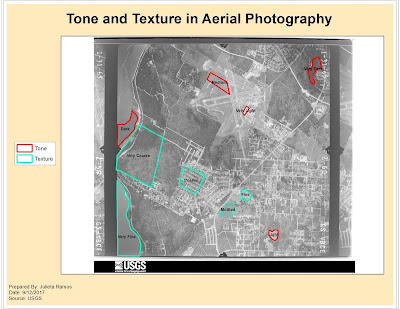
For this module's lab, we observed three different aerial images for three different purposes: first served to identify tone and textures, second was identifying physical features, and third was interpreting color. Only two maps were required for the first two exercises. The objective for exercise 1 was to be able to identify texture and tone in an aerial photograph. For both elements, it was required to observe at least 5 different tones and textures (i.e. light, very light, dark, coarse, etc.). The objective for exercise 2 was to learn how to identify features according to shape and size, shadows, pattern, and by association. I think I did a good job after zooming in and examining the aerial image closer to try and identify features better. Shadows became very helpful in singling out possible trees or street posts which then helped with associating other features nearby.

Orientation Assignment - Own Your Map

Image
As part of Orientation week for this course we reviewed some basics from the Introduction to GIS course. We were given a template map of Florida counties. We had to create a map for the UWF campus in Escambia County using data provided by FGDL which included: Escambia County, major roads, and rivers. Roads and rivers were clipped to fit the county shape. The font titles, County map colors, data frame background colors and frames, symbols for the UWF campus, Interstate, and River were all customized. I have not had to create a map in ArcMap recently, so this was a nice refreshing exercise to get back in practice.